lloydchristmas
Member
- Messages
- 10
- Points
- 1
Hi all,
currently have a hikvision cctv setup at home, with direct internet feed from the modem and 2x poe cameras working fine. total of 4 channels available.
I want to have the extra 2 channels for cameras in my garage at the back of the garden.
I have 1x cat 6 ethernet cable that runs to the garage. In order to utilise that 1x cable to get me 2x cam feeds and ideally an internet connection for the garage also, I have got switches and both ends.
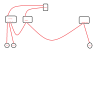
So brief description of set up (i have attached drawing also)
Modem has 2x ethernet cables coming out, 1x directly to NVR, 1x directly to the switch in my house.
Ch1 and Ch2 on NVR have cat6 cables running directly to Cam 1 and Cam2 at the front and back of the house.
Ch3 on the NVR connects to the switch in my house
an ethernet from this switch then runs all the way to the garage in my garden to the garage switch
the garage switch then has 3x ethernet cables plugged in which lead to different areas of the garage (2x for cams and another for tv internet connection).
Now, i'm sure you can tell by how I have explained myself so far, I'm no expert haha. But i gave it a go, and it WORKED! ...briefly.
I was singing praises about the switches and couldn't believe how clever and simple it all was. Plugged a camera into one of the ethernet cables in the garage, checked my app, got a live feed instantly. unplugged it, checked another cable, live feed. great. went to plug it back into the first cable again, OFFLINE.
So not terrible, as I know the cable and camera is fine. I'm guessing IP issue is the problem, as I know that can be a b*tch. and i have no knowledge how to deal with it.
Could somebody shed some light on whether that does indeed sound like the problem, and if it is something i can tackle as a novice.
thanks
currently have a hikvision cctv setup at home, with direct internet feed from the modem and 2x poe cameras working fine. total of 4 channels available.
I want to have the extra 2 channels for cameras in my garage at the back of the garden.
I have 1x cat 6 ethernet cable that runs to the garage. In order to utilise that 1x cable to get me 2x cam feeds and ideally an internet connection for the garage also, I have got switches and both ends.
So brief description of set up (i have attached drawing also)
Modem has 2x ethernet cables coming out, 1x directly to NVR, 1x directly to the switch in my house.
Ch1 and Ch2 on NVR have cat6 cables running directly to Cam 1 and Cam2 at the front and back of the house.
Ch3 on the NVR connects to the switch in my house
an ethernet from this switch then runs all the way to the garage in my garden to the garage switch
the garage switch then has 3x ethernet cables plugged in which lead to different areas of the garage (2x for cams and another for tv internet connection).
Now, i'm sure you can tell by how I have explained myself so far, I'm no expert haha. But i gave it a go, and it WORKED! ...briefly.
I was singing praises about the switches and couldn't believe how clever and simple it all was. Plugged a camera into one of the ethernet cables in the garage, checked my app, got a live feed instantly. unplugged it, checked another cable, live feed. great. went to plug it back into the first cable again, OFFLINE.
So not terrible, as I know the cable and camera is fine. I'm guessing IP issue is the problem, as I know that can be a b*tch. and i have no knowledge how to deal with it.
Could somebody shed some light on whether that does indeed sound like the problem, and if it is something i can tackle as a novice.
thanks