01304 827609 info@use-ip.co.uk Find us

Hikvision-Guanlan DeepinViewX camera

hikvision 2.png
 

Attachments

  • hikvision 2.png
    hikvision 2.png
    79.1 KB · Views: 6
First impression.
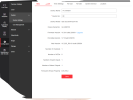
-- Exposure setting "fixed - manual".When adjusting exposure, there is a warning to adjust to 1/25 or less.
The caveat is there to avoid "smart event" problems.
-- Video setting - maximum speed 8192 !!!!
-- WDR setting - on or off.I think this feature really works.The difference in tuning is good and useful.
-- Adjusting parameters for the image.There is a possibility for different settings of the image in relation to the time interval.
-- The white light/IC is designed completely differently. It's like there is a hole in the camera that is covered by glass.
-- There are various connections and many cables. The quality of the work itself is very good.

These are the first impressions after, because I installed the camera today.
If you look at the specifications for this camera -0.0014 Lux @ (F1.0, AGC ON),This camera went into the IR light mode very late, when it got dark !!!
The image is very good and sharp, but I will wait a little longer to better compare the image quality with other cameras.

 
A couple of things to note:
-- Exposure setting "fixed - manual".When adjusting exposure, there is a warning to adjust to 1/25 or less.
The caveat is there to avoid "smart event" problems.
You want to be logging into the camera directly if it's on an NVR and setting the exposure to auto. You then set the upper and lower limits (for instance 1/10,000 and 1/50). You don't want a fixed exposure - the image will be over/under exposed according to the changing light level)
-- Video setting - maximum speed 8192 !!!!
Again check that directly in the camera. I've noticed that max bitrate for many of the new 4MP cameras is 8192 Kbps on the data sheet, yet I've got them set higher.
 
Something doesn't seem right.
Setting the exposure on the camera has only a fixed setting .
When I access directly from the NVR, then I have the possibility to adjust the gain !!!!
When I access the NVR through the computer, I don't have the option to adjust the amplification. There is no option for that.
When I set the exposure value to 1/100, the image flickers on some details.
 
I went back to the initial version Firmware , but there is still no possibility to change the exposure. Fixed 1/25, 1/50, 1/100....
The possibility to adjust the gain is now available when accessing the camera directly.


Yes, yes, I understand now.Only if the DAN --Color mode is selected, then the gain adjustment option appears.
 
Last edited:
Back
Top