01304 827609 info@use-ip.co.uk Find us

Stopped recording hard drive

olly16olly

New Member
Messages
3
Points
1
It says there is no more capacity on my hard drive, I have had it installed for 13 months and it’s been overwriting then. What is this issue and how is it solved as I’m a 2 hour drive away from my friends restaurant where I installed it. Kind regards for any help :)
 

Attachments

  • IMG_2107.jpeg
    IMG_2107.jpeg
    4.5 MB · Views: 8
It says there is no more capacity on my hard drive, I have had it installed for 13 months and it’s been overwriting then. What is this issue and how is it solved as I’m a 2 hour drive away from my friends restaurant where I installed it. Kind regards for any help :)
There is no issue there. Once the hard drive fills for the first time and starts overwriting, it will always show the remaining space as 0. When the HDD is overwritten it doesn't wipe the drive and start again with a full drive, it deletes the oldest recording 'chunk' to make room for the newest.
 
There is no issue there. Once the hard drive fills for the first time and starts overwriting, it will always show the remaining space as 0. When the HDD is overwritten it doesn't wipe the drive and start again with a full drive, it deletes the oldest recording 'chunk' to make room for the newest.
Ah ok, thanks for the reply.
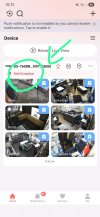
It’s stopped recording and freezes when trying to use the NVR. In the Hik connect app it jas the playback there but when you press play nothing happens. :(
 

Attachments

  • e3c2f9b4-4cca-4b45-a48a-5c4433d37cae.jpeg
    e3c2f9b4-4cca-4b45-a48a-5c4433d37cae.jpeg
    223.7 KB · Views: 4
Ah ok, thanks for the reply.
It’s stopped recording and freezes when trying to use the NVR. In the Hik connect app it jas the playback there but when you press play nothing happens. :(
In the image in your first post you can try ticking the box next to the HDD then clicking the 'Rebuild all data' button. Sometimes the recording database can becoming corrupted and it appears to not be recording with the history missing, so try that first. It takes some time. If that doesn't work from the same page you can try to initialise the disk. Unfortunately if the disk is knackered and has a bad sector the initialise operation will not complete and will freeze.

HDD replacement is easy. Power down, lid off, swap disk, lid on, power up, initialise from the page you've shown. Done in less than 10 mins.

 
In the image in your first post you can try ticking the box next to the HDD then clicking the 'Rebuild all data' button. Sometimes the recording database can becoming corrupted and it appears to not be recording with the history missing, so try that first. It takes some time. If that doesn't work from the same page you can try to initialise the disk. Unfortunately if the disk is knackered and has a bad sector the initialise operation will not complete and will freeze.

HDD replacement is easy. Power down, lid off, swap disk, lid on, power up, initialise from the page you've shown. Done in less than 10 mins.
Ok thanks again,
Once you replace the HDD do you need to reprogram the NVR ? Or does the HDD just get used for recordings ?
 
Ok thanks again,
Once you replace the HDD do you need to reprogram the NVR ? Or does the HDD just get used for recordings ?
No. Just replace the disk and initialise it. All settings remain intact. Be sure to only replace it with a surveillance grade drive - Seagate Surveillance/Skyhawk, Western Digital Purple or Toshiba S300.
 
Back
Top