Follow along with the video below to see how to install our site as a web app on your home screen.
Note: This feature may not be available in some browsers.
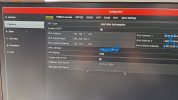
Does this look like it ?This should be somewhere in Network tab or Network Advanced
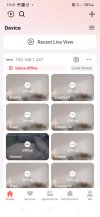
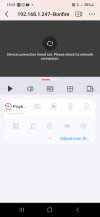
From what I can see you have your DVR added as a local device via IP address (local device). You won't be able to connect outside your home using that setup regardless of whether the DVR is connected to Hik-Connect or not. You need to log in to your Hik-Connect account on the app and add the DVR to your Hik-Connect account if you haven't already. Then it will be available regardless of where you are. The existing 'local' connection that works on WiFi can just be renamed to 'Backup' as it'll only ever work when you're on your local network.No Good
Is there a Hik Vision website that I could log into to view my cameras
Original issue was that I could view cameras while connected to my home wifi - but not 4g outside home.....
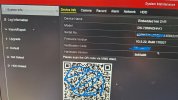
Yes it will always show online in the DVR UI so long as there's a valid internet connection, the server address is valid, and the enable box is checked. As it's V3 UI though, there's no indication that the device is bound to a Hik-Connect account (unlike in V4 and V5 where it shows both the online and bind status). Where he's shown the screen grab of the phone app it shows 'local device' and is shown with the LAN address so either the app is not logged in to the users cloud account, or the device is not bound to the cloud account (or both)On first picture posted, this seems Online, but possibly happens what you say with the app.